Using a Hardware Token with Duo

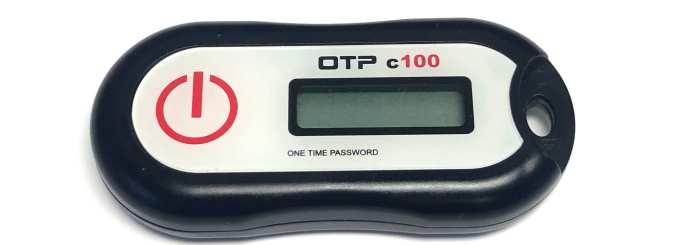
UB-assigned hardware tokens generate a one-time passcode that you can enter into Duo when prompted.
Obtaining a hardware token
Contact the UBIT Help Center or your distributed IT support for assistance.
How to use
- When you log in and are prompted for two-step verification, press the button on your hardware token to generate a new passcode, type it into the space provided before the counter expires, and click Log In (or type the generated passcode in the "second password" field).
Troubleshooting
- “Incorrect passcode. Please try again.” If you are seeing this message, your hardware token may be out of sync. Re-sync it by generating a new passcode three more times and entering each passcode. On the third entry, you should be logged in successfully.
- If the automatic resync doesn’t fix your token, manually resync the hardware token at https://twostep.buffalo.edu/token_resync
See also
Need more help with technology at UB?
Contact the UBIT Help Center.