Sensitivity Labels and Restricted Data in Microsoft 365
Determine how a Microsoft 365 document with Category 1 restricted data can be shared by applying a sensitivity label.
What is Category 1 Data?
If any of the following types of information appear in your document, apply the" UB - Category 1 label". Microsoft will auto-label files with Category 1 data in Microsoft SharePoint and Teams files only.
- U.S. Social Security Number (SSN)
- Credit Card Number
- U.S. / U.K. Passport Number
- U.S. Bank Account Number
- U.S. Driver's License Number
- Canada Bank Account Number
- Canada Passport Number
- Canada Social Insurance Number
Applying sensitivity labels
When you apply a sensitivity label, the label information persists with your file as it moves between devices, applications, and cloud services.
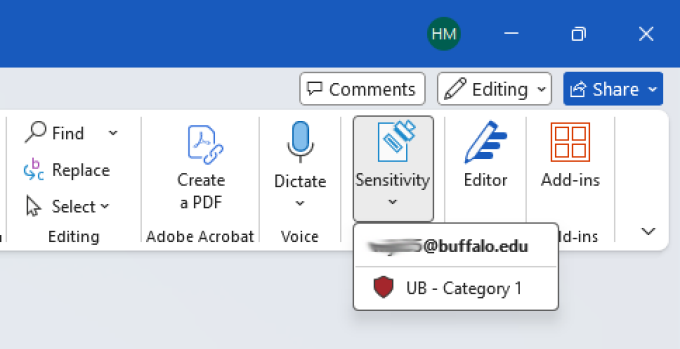
- Within the Microsoft app, click the Sensitivity drop-down menu
- Select UB - Category 1 to label Category 1 data.

What you see when a document is labeled
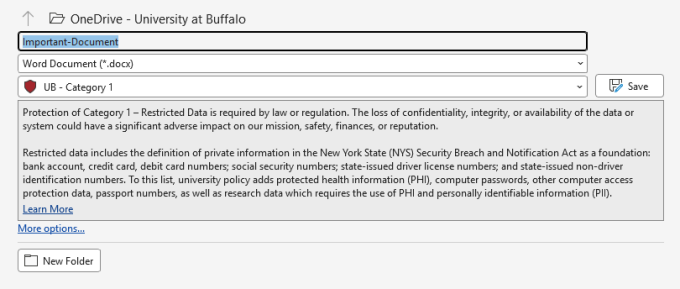
- When saving files that already have UB-Category 1 sensitivity label applied, you see the UB- Category 1 sensitivity label.

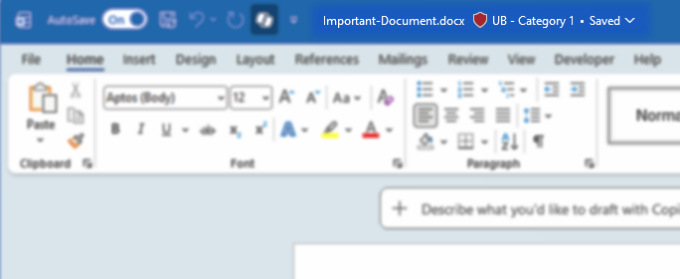
- When opening files with UB- Category 1 sensitivity label applied, you see a banner that identifies the file contains UB- Category 1 data.

See also
Need more help with technology at UB?
Contact the UBIT Help Center.