Building partnerships through collaboration.


UB Traveler Assist, powered by International SOS, underscores the university's commitment to safety, security, and well-being. The University at Buffalo has partnered with International SOS to offer access to round-the-clock medical, mental health, security support, and evacuation services for students, faculty, and staff traveling domestically and internationally on behalf of UB. Together, we can make every UB journey a safe and successful one.
Updated 04/20/2026
On This Page:
Questions?
UB Traveler Assist Implementation Team:
ub-traveler-assist@buffalo.edu
WATCH: Town Hall Sept. 16, 2025
Run time is [35:13]
Download our quick start guide.
UB Traveler Assist, powered by International SOS, provides medical, security, and travel assistance. No matter where you go, you can reach expert support with a call or tap. Their experience helps reduce risks and offers solutions to unexpected challenges.
- 24/7 Support: Access world-class medical and security professionals anytime, anywhere.
- Pre-Travel Guidance: Get tailored tools and advice to prepare for your travels, including health and safety insights specific to your destination.
- Emergency Assistance: Receive prompt and professional help during medical or security incidents, including evacuation if needed.
- Peace of Mind: Travel confidently, knowing you have a trusted partner to rely on in uncertain situations.
Follow these steps to register your account and set up the mobile application for seamless access to travel safety resources, medical assistance, and security services. All UB faculty, staff, and students must complete this registration process before traveling internationally for university purposes.
- Click on the link to lead to the International SOS Web Portal
- Click on Get Started.
- Enter your UB email (ends in buffalo.edu) in the email box. Click Next.
- This will bring you to an account set-up page.
- Do not alter the Home Location area United States
- Add your mobile phone number, the one that will be with you on university travel. When entering, you might have to use +1 to indicate a United States phone and enter the area code and phone number with no spaces.
- Click Confirm
- You will receive an authorization numerical code to your mobile phone from ISOS. Enter the code in the field and press Submit.
- Read the Privacy and Terms and Conditions. Check the box next to the text that says, “I have read and agree to the Terms and Conditions”. Click Next.
- Read additional Terms and Conditions and scroll to the bottom, click I Accept.


Scan the QR code or search “International SOS” in your Apple App Store or Google Play Store. Turn on your location and notification settings.
- Ensure Data or Wi-Fi is enabled on your mobile device.
- Download the app here from your mobile device: Apple or Google Play
- Once in the International SOS application, tap Acknowledge Cookies at bottom of the screen
- Tap Get Started
- Enter your UB email (ends with buffalo.edu) and tap Next.
- If you followed the steps above on the registering your account on the International SOS Web Portal, you will be prompted to log into the UB SSO. Enter your UBITName and Password and tap Log In.
- Might need to provide two-step verification with DUO Mobile.
- Read the disclosure related to Location Sharing. Click Close.
- A notification will pop up, asking “Allowing Assistance App to access this device’s location”. Tap While using the app.
- An additional notification will pop up, asking “Allow Assistance App to send you notifications?“ Tap “Allow”
- The app will prompt you to read the Terms and Conditions by tapping Read Terms and Conditions.
- Read through the terms and conditions and tap I Accept.
- When traveling, tap Check In to confirm you are at the location.
- NOTE: Data or Wi-Fi Connection is required to use the app. Data rates may apply.
Do You Have an International Phone Plan?
When traveling internationally, please make sure you have an active international phone plan. Plans activated specifically for official UB business travel dates may be eligible for reimbursement, as long as you submit a written justification. Check with the department coordinating your travel for details on eligibility. Additionally, it is recommended that you download the International SOS mobile app before your trip begins.
Help Ensure You Receive Emergency Calls
Modern smartphones use call-screening features to reduce spam, but these settings may unintentionally filter or delay urgent calls from International SOS during critical events. Neither International SOS nor mobile carriers can override these device-level settings.
What you can do: Save the International SOS contact number in your phone. Saved contacts are more likely to ring through immediately.
- Global (all countries except Singapore): +1 215 354 3803
- Singapore: +65 6263 9666
It's essential that you register your trip with International SOS before you leave so you will receive important information about your destination and any alerts that apply to your travels.
Students should consult their department or program office for guidance on submitting their itinerary. Students participating in UB Education Abroad programs, including other SUNY-sponsored programs, will be automatically registered with International SOS.
Faculty and staff that use Concur to book travel:
Your itinerary will automatically be transferred into the International SOS system if you booked your domestic or international business-related travel through Concur. You will receive messages from International SOS regarding your trip. Otherwise, you will need to manually register your trip to ensure you are utilizing International SOS.
Need to add trip details?
Trips created through Concur Request cannot be edited. To make changes or add flight details, hotel information, or other itinerary items, use the "Add a Trip" button in My Trips portal to create a new trip entry with your complete travel information.
Faculty and staff that do not use Concur to book travel:
You will need to take additional steps to ensure you are utilizing International SOS.
- Within the International SOS App, manually register your trip in the International SOS Web Portal. Register with your university email address (UBITName and password).
- Once your trip is registered, you will receive important information about your destination along with any alerts that may be applicable to your travels.
- Forward your itinerary exactly as you receive it:
• For students, faculty, and staff: To field: UBTravel@itinerary.internationalsos.com
• For travel preparers sending on the traveler's behalf: To field: UBTravel-TO@itinerary.internationalsos.com
About Forwarding Itineraries:
- For travel preparers forwarding itineraries on behalf of a traveler:
- To: Traveler’s email address
- CC: UBTravel-TO@itinerary.internationalsos.com
- If forwarding directly from a traveler’s own account:
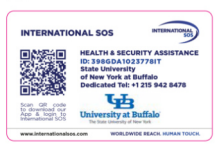
UB Traveler Assist cards provide important contact information while traveling. To obtain a physical card, please complete our request form. For a digital version, access your UB Digital Membership ID through the International SOS Web Portal under My Organization.
Faculty and Staff: Need a Membership Card?
Travelers are encouraged to review and understand their individual insurance coverage before and during their trip. The university provides international health insurance at no cost for faculty and staff invited by the university to participate in UB-sponsored travel abroad. Travelers who independently choose to participate must pay for their own insurance. Insurance is mandatory for all participants on UB-sponsored trips.
Coverage is provided through UnitedHealth Care (UHCSR) and requires enrollment. Before enrolling in UHCSR coverage, please verify whether you already have adequate international health insurance through your current benefits, including GEOBlue or other plans.