FAFSA Code: 002837 | TAP Code: 1010
Accepting, Reducing or Declining Financial Aid
The Financial Aid Office will offer self-help aid such as work-study or loans to eligible students each year. Students must then accept the aid if funding is desired, or decline the aid if it is not. To limit borrowing and manage debt, students also have the ability to reduce the loan amount prior to accepting.
Instructions
Step 1
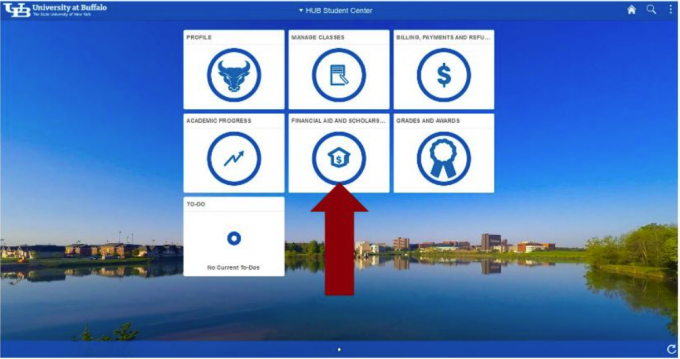
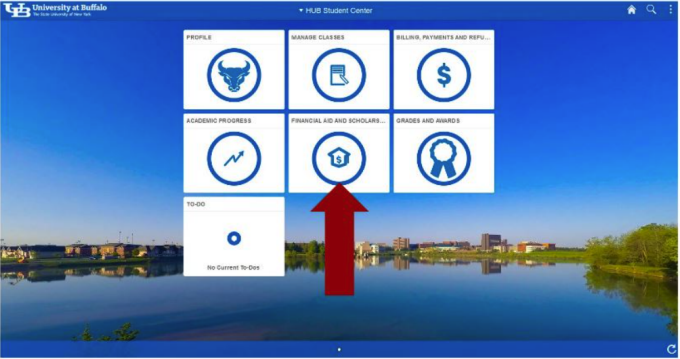
Select the Financial Aid and Scholarships tile from your homepage.
Step 2
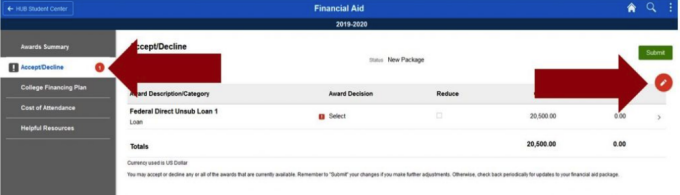
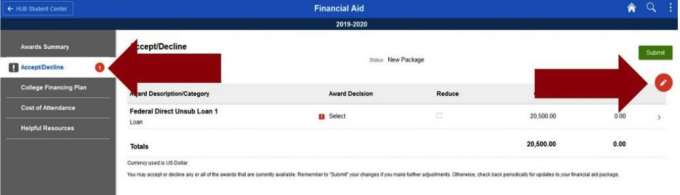
Select ‘Accept/Decline’ in the navigation bar on the left side of the page. You will see an indicator if you have been offered aid that has not been accepted or declined.
Note: If you do not have any awards offered, this option will not be available to you.
Step 3
Click on the red edit button at the top right corner of your screen.
Step 4
Click on the ‘select’ drop down box next to each offered award to select the action you wish to take:
- Accept – select ‘Accept’ if you wish to receive funds from the award.
- Decline – select ‘Decline’ if you do not wish to receive funds from the award.
- Reset – returns the award back to the original offered status.
Step 5
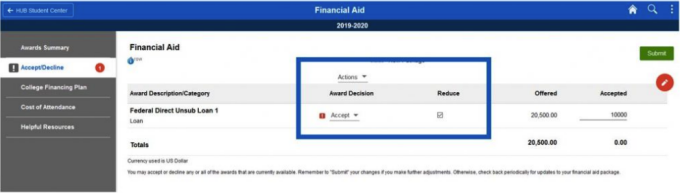
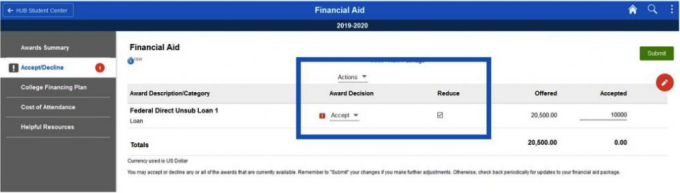
To accept a lower loan amount than what has been offered to you:
- Select ‘Accept’ from the drop down menu.
- Check the box in the column labeled ‘Reduce’.
- Revise the loan amount to the total you wish to receive for the academic year.
- For example, if you wish to receive $5,000 in the fall semester and $5,000 in the spring semester, reduce the loan amount to $10,000.
Note: Federal loans must be split evenly between each semester. To receive a different loan amount in each term, complete a Financial Aid Revision Request form.
Step 6
To accept or decline all awards offered to you, click on the ‘Actions’ drop down at the top of the page and select the action you wish to take.
Step 7
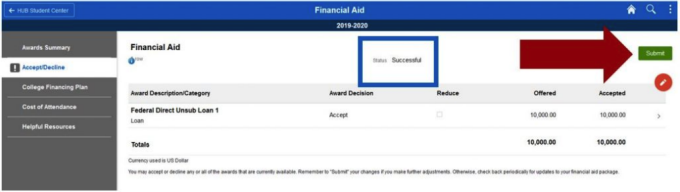
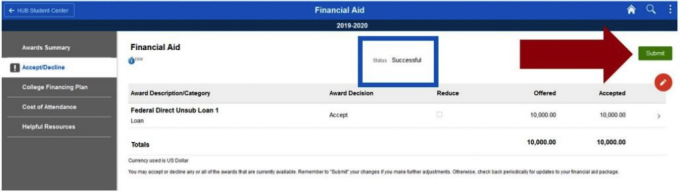
Click ‘Submit’ in the top right corner of your screen.
- Confirm your decision by clicking ‘Yes’ on the confirmation pop-up or click ‘No’ to return to the Financial Aid screen.
Step 8
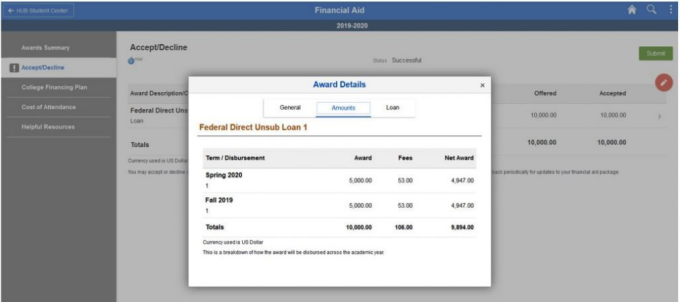
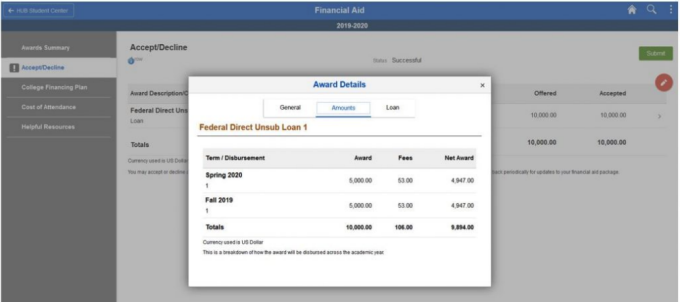
Once your selection is submitted, the status at the top of the screen will change to ‘Successful’ and the action indicator will be cleared from the navigation bar.
Step 9
Click on the arrow at the end of the award row to view detailed information about the scheduled disbursements.
You will only be able to accept or decline an award once. Changes to your awards may be requested by submitting a Financial Aid Revision Request form at any time during the academic year as long as you are still enrolled. Please visit a financial aid advisor in 1Capen to discuss your financial aid eligibility if you plan to drop, resign or withdraw from the university.
Need Assistance?
Due to the sensitive and detailed nature of most inquiries, our financial aid advisors are available to meet with you in person in 1Capen on the North Campus, room 114 Diefendorf on the South Campus and room 1102 on the first floor of the Downtown Medical Campus.
If you are unable to meet with an advisor in person, representatives are available by phone at 716-645-8232 or email UBFA@buffalo.edu.